In Q1 2026, Microsoft continued to be the most impersonated brand in phishing attacks, accounting for 22% of all brand impersonation attempts, according to data from Check Point Research (CPR). The results reinforce a long‑standing trend: attackers consistently exploit highly trusted brands to steal credentials and gain initial access to personal and enterprise environments.
Apple climbed to second place with 11%, reflecting attackers’ increasing focus on consumer ecosystems tied to payments, identity, and personal devices. Google followed closely in third place at 9%, while Amazon ranked fourth with 7%. LinkedIn rose to fifth place with 6%, highlighting sustained attacker interest in professional identities and corporate access.
Notably, the top four brands alone accounted for nearly 50% of all observed phishing attempts, underscoring a strong concentration around a small number of globally recognized platforms.
Technology Continues to Dominate Brand Phishing
By industry, the Technology sector once again emerged as the most impersonated category in brand phishing campaigns during Q1 2026. This dominance reflects attackers’ strategic focus on credentials that enable access to enterprise email, cloud platforms, collaboration tools, and identity services.
The Technology sector was followed by Social Networks, driven by continued abuse of platforms such as LinkedIn and Facebook, and the Banking sector, which remains a prime target for direct financial fraud and account takeover.
As digital identity becomes the backbone of both enterprise operations and everyday online activity, phishing remains one of the most effective and scalable initial access vectors for attackers.
Top 10 Most Imitated Brands in Phishing – Q1 2026
Below are the brands most frequently impersonated in phishing attacks during Q1 2026, ranked by overall share:
- Microsoft – 22%
- Apple – 11%
- Google – 9%
- Amazon – 7%
- LinkedIn – 6%
- Dropbox – 2%
- Facebook – 2%
- WhatsApp – 1%
- Tesla – 1%
- YouTube – 1%
The continued prominence of Microsoft, Apple, and Google reflects their central role in authentication, productivity, and digital identity workflows—making stolen credentials particularly valuable to cybercriminals.
Real‑World Phishing Examples Observed in Q1 2026
Microsoft: Subdomain Abuse for Credential Theft
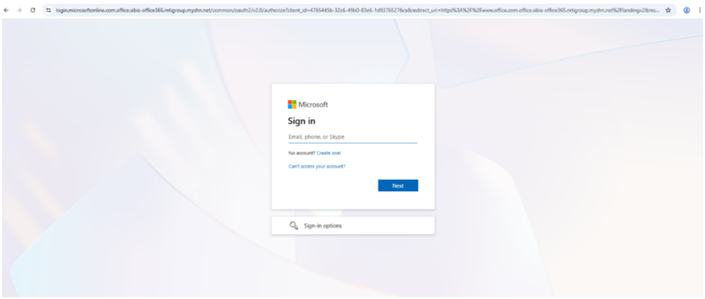
In Q1 2026, Check Point Research identified a malicious website designed to impersonate Microsoft’s legitimate authentication service:login[.]microsoftonline[.]com[.]office[.]sibis-office365[.]mtigroup[.]myshn[.]net. This attack demonstrates a common phishing technique in which the brand name is embedded within a subdomain of an unrelated parent domain, aiming to trick users who do not closely inspect the full URL.
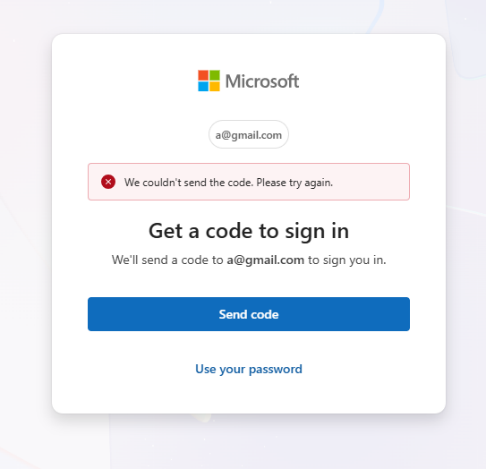
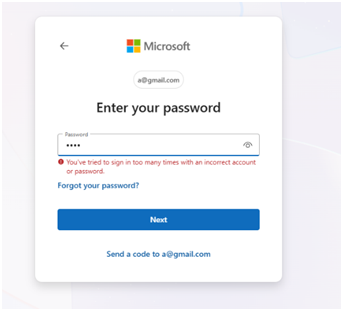
The website presented a Microsoft‑branded login page, prompting users to enter their email address. The authentication flow behaved inconsistently attempting to send a verification code, redirecting users to password input, and ultimately leading to a non‑functional login screen. This behavior strongly indicates a credential‑harvesting phishing attempt rather than a legitimate authentication process.
PlayStation: Fake Online Store and Payment Fraud
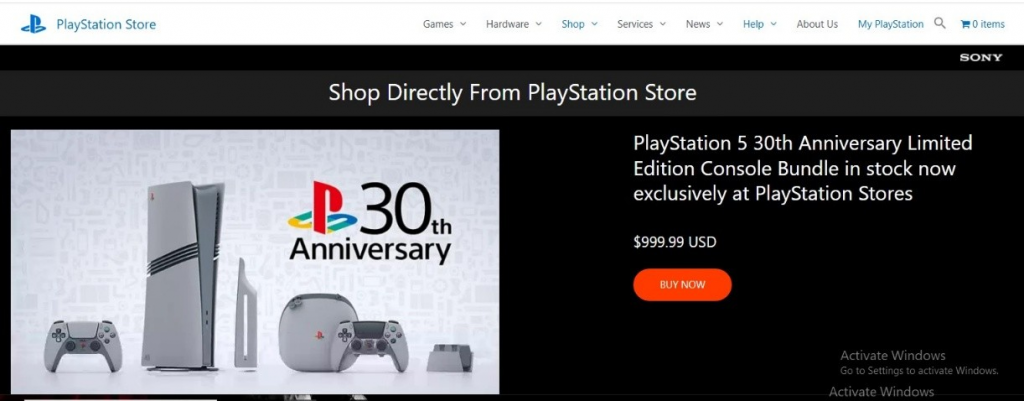
In another campaign, CPR identified a phishing website hosted at:playstation-stores[.]com
The site impersonated the official PlayStation brand and promoted fake discounts, fast delivery, and “guaranteed lowest prices,” despite having no legitimate affiliation with Sony. While the site allowed users to browse products and add items to a shopping cart, multiple red flags were present, including broken links and redirects to the legitimate playstation.com website.During checkout, users were instructed to complete payment via direct bank transfer, a strong indicator of fraud. The campaign highlights how phishing extends beyond credential theft into direct financial scams, particularly in e‑commerce‑themed attacks.
WhatsApp: QR Code Hijacking via Fake Web Login
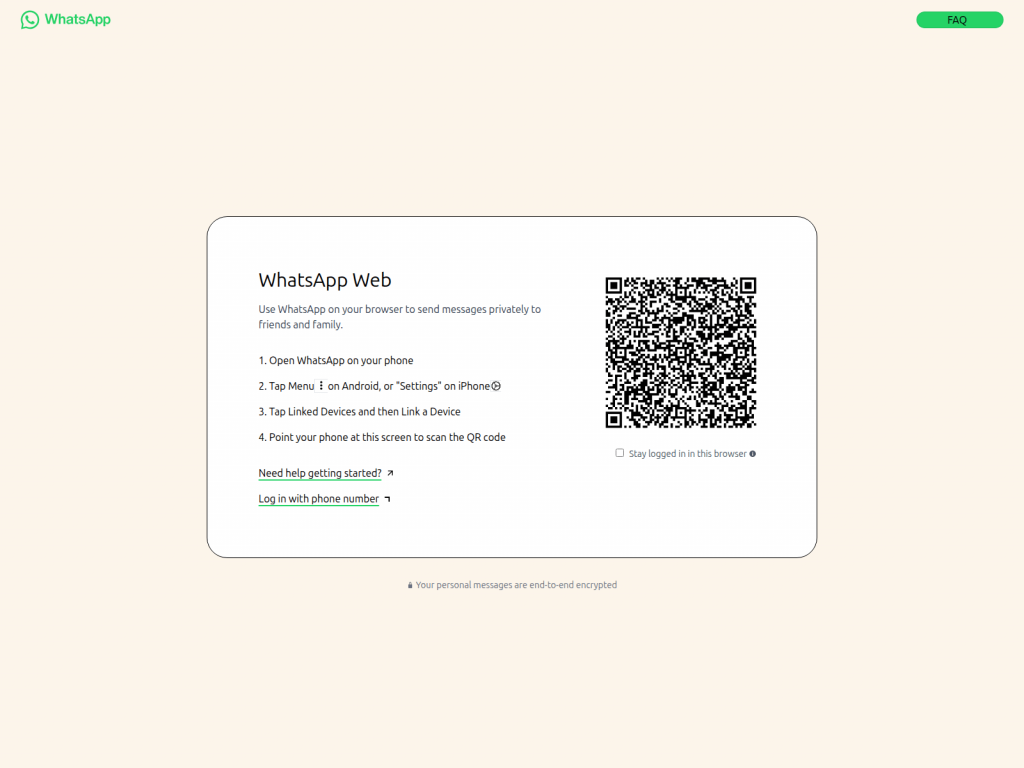
In Q1 2026, CPR also identified a phishing campaign impersonating WhatsApp Web, hosted at:
web[.]whatsapp[.]app[.]hl[.]cn. Once again, the attackers relied on brand‑name subdomains under unrelated domains to increase credibility. The site closely replicated the legitimate WhatsApp Web interface and prompted users to scan a QR code to link their device.By scanning the QR code, victims may unknowingly connect their WhatsApp account to an attacker‑controlled session, potentially granting unauthorized access to private conversations and account activity—without the user immediately realizing their account has been compromised.
Adobe: Malware Delivery via Fake Software Download
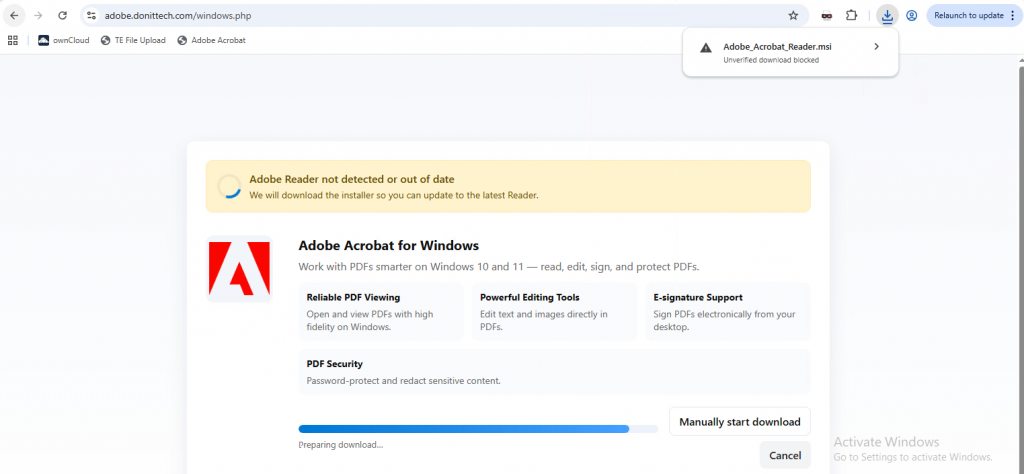
Another campaign observed in Q1 2026 involved a malicious website masquerading as Adobe Acrobat, hosted at:adobe[.]donittech[.]com/windows[.]php
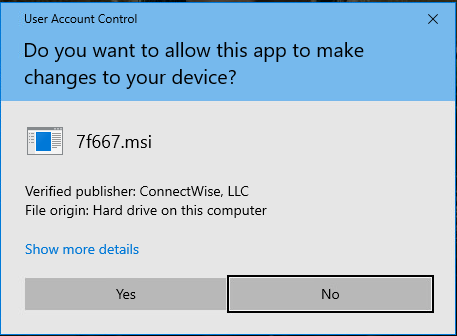
The domain, registered in November 2025, lured users into downloading a malicious MSI installer. Upon execution, the installer deployed ConnectWise, which was abused as a Remote Access Trojan (RAT). This enabled attackers to gain remote control of the infected system, shifting the attack from phishing into full device compromise.
Associated file hash:
cf3933819b811ca0585cd9802d1245ba
Managing Brand Phishing Risk: Why Prevention Has to Come First
Brand phishing isn’t one problem. It’s two. And most organizations only protect against one of them.
The first is when your brand gets weaponized against someone else. Attackers build convincing lookalike domains, spin up fake login pages, and impersonate your company to defraud your customers. You haven’t been breached in the traditional sense (no stolen credentials, no compromised inboxes) but the damage is very real. Customer trust erodes. Your reputation takes a hit. And by the time you find out, the campaign has usually been running for weeks.
This is where Exposure Management comes in. Rather than waiting for reports to surface, it continuously scans the external threat landscape for impersonation campaigns, fraudulent domains, and credential harvesting operations that abuse your brand. More importantly, it shuts the brand abuse down, removing fake pages, profiles, and apps with a >98% takedown success rate. The goal is to find and disrupt these campaigns early, before they scale.
The second problem is the reverse: your employees being targeted through other trusted brands. Someone receives what looks like a Microsoft or DocuSign login prompt, enters their credentials, and hands attackers a way in. These attacks work precisely because the brands being impersonated are ones people use every day and don’t think twice about trusting.
That’s when you’ll need a Workspace Security solution. Email filtering is the obvious starting point, but it can’t catch everything. Layering in controls at the endpoint, identity, and access levels means that when something does slip through, it doesn’t automatically become a full breach.
When the two work together, things get interesting.
Exposure Management knows which third-party vendors and partners are showing signs of compromise. Workspace Security knows which of those vendors your organization actually communicates with. Connect the two and you can automatically tighten how emails and access requests from at-risk partners are handled, in real time, before an incident is declared.
The same logic applies to credential exposure. When Exposure Management picks up employee credentials being traded externally, Workspace Security can act immediately, resetting access, flagging accounts, limiting the window attackers have to move laterally.
The bottom line: brand phishing attacks from both directions. A prevention-first approach that combines external visibility with internal protection isn’t a nice-to-have — it’s how you actually stay ahead of it.